iOS
A real 7-segment LCD clock for your Home Screen, Lock Screen, and nightstand
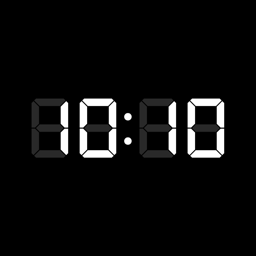
Five Home Screen, Lock Screen and StandBy widgets, rendered in a real DSEG7 7-segment typeface with ghost segments. Five themes, two fonts, five display colors, and a world clock covering every time zone.

Screenshots
Five themes, five colors, and the world clock
Features
Five widgets, five themes, five colors
Authentic 7-segment LCD
The time is drawn in a real DSEG7 7-segment typeface with a ghost-segment backplate — the unlit segments sit faintly behind the lit digits, exactly like a physical LCD. Most clock widgets fake this with a plain font.
Five widgets in the bundle
Clock + Date, Clock Only, and Date & Day are free; World Clock and World Cities come with Pro. Each can be placed more than once and themed independently, and Pro adds a short label of your own under the time.
World clock over any time zone
The city picker searches every IANA time zone, not a fixed list — showing each city's UTC offset and flagging a +1 / −1 day difference for a city already on tomorrow or still on yesterday.
Five themes, two fonts, five colors
Dark, Light, Clear (transparent), Green (retro VFD), and Red (retro LED), each chosen per placed widget; the typeface switches between LCD (DSEG7) and Terminal (SF Mono). Pro adds five display colors — amber, ice blue, cyan, violet, rose — that sit on top of any theme, so the theme sets the background and the color sets the digits.
Home Screen, Lock Screen & StandBy
Small and Medium Home Screen widgets, rectangular, circular, and inline Lock Screen widgets, and StandBy support so it works as a bedside desk clock. The Pro night mode dims it there to a soft red, so it won't light the room. 12/24-hour and first-day-of-week follow your device.
No ads, no tracking
Runs entirely on-device with no network access, no accounts, and no analytics — nothing leaves your iPhone. Minimal Clock Pro is $4.99 once, not a subscription, and covers the world clocks, the colors, the label and the night mode.
More from BD TECH
Two more about telling the time
The same desk draws other faces and other clocks. One is a watch you commission; the other lives in the Mac menu bar.
-
Atelier Watch
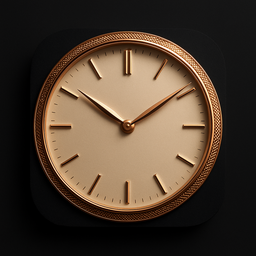
watchOSA watch face drawn to order — the case, the dial finish, the complications and an engraving, specified the way a watch is actually commissioned rather than picked from a grid.
atelier.bdtech.app -

Seder HaYom
macOSHalachic times in the Mac menu bar — sunrise, the latest Shema, sunset — for your own location, computed on the device with no network.
Mac App Store
Support
Questions, feedback, or help getting set up
Email reaches the developer directly.
support@bdtech.app